Why the settings disappear after you send a photo
You send a friend a photo, they save it, and the aperture, shutter and ISO are gone, as if the phone had glitched.
The chat app's compressed channel re-encoded the file and threw the metadata away: sending the original avoids that, and printing the settings onto the picture first means you never have to think about it.
Open Mark, try a photo freeFree, no account, nothing uploaded.
1. What this page covers
Why the aperture, shutter and ISO go missing after a photo passes through a chat app, and how to stop it. What EXIF is and how a settings watermark works are in how camera settings watermarks work; for location leaks, see checking EXIF and GPS before you share.
WeChat is the example because it's the one most people use. Most chat apps send through a compressed channel by default, downscaling and re-encoding the photo, and the metadata is dropped in that step. To keep it, choose "original" when you send.
2. Three steps that stop the loss
- Step 1: Check the original first
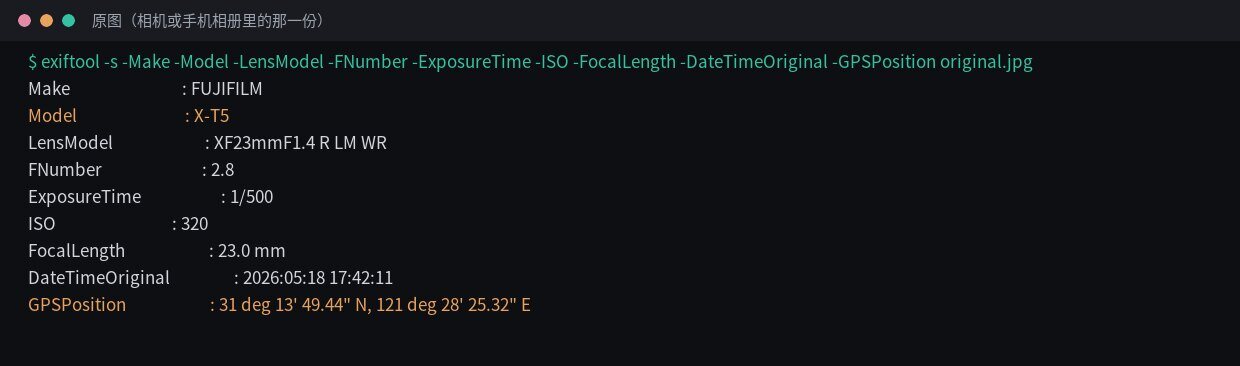
exiftool output in a terminal, not an app screen. Body, settings, time and position are all there; EXIF is demo data. Go back to the memory card or camera roll for the copy no chat app has touched. Anything saved out of a conversation doesn't count.
Not sure?
exiftool -G1 -a -s photo.jpglists every tag (the shot above picks out a few). Or skip the terminal and drop the file into mark.lenscript.cn: if the watermark shows a body and settings, the EXIF is there. If nothing comes up, find another copy. - Step 2: Watermark the original

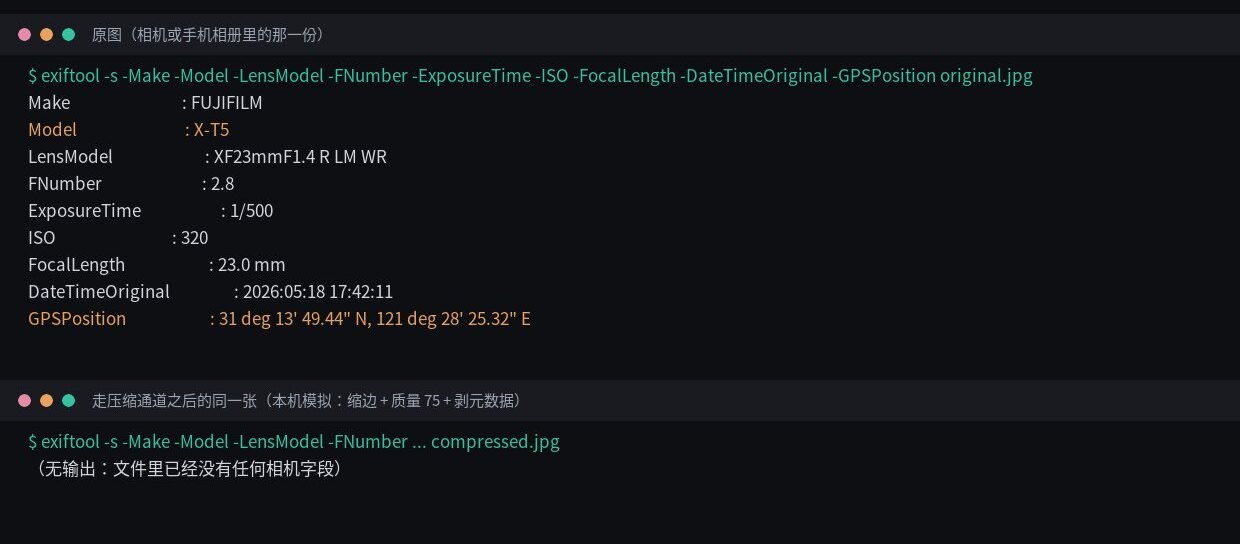
For comparison: the same photo after a simulated compressed channel. Same command, nothing back. Also command-line output; the original's EXIF is demo data. A file like that leaves the info bar with nothing to print, so use the original from step 1. Drop it into Mark, pick a style, and body, lens, aperture, shutter, ISO and focal length come straight from the EXIF.
- Step 3: Watermark first, then send it however you like
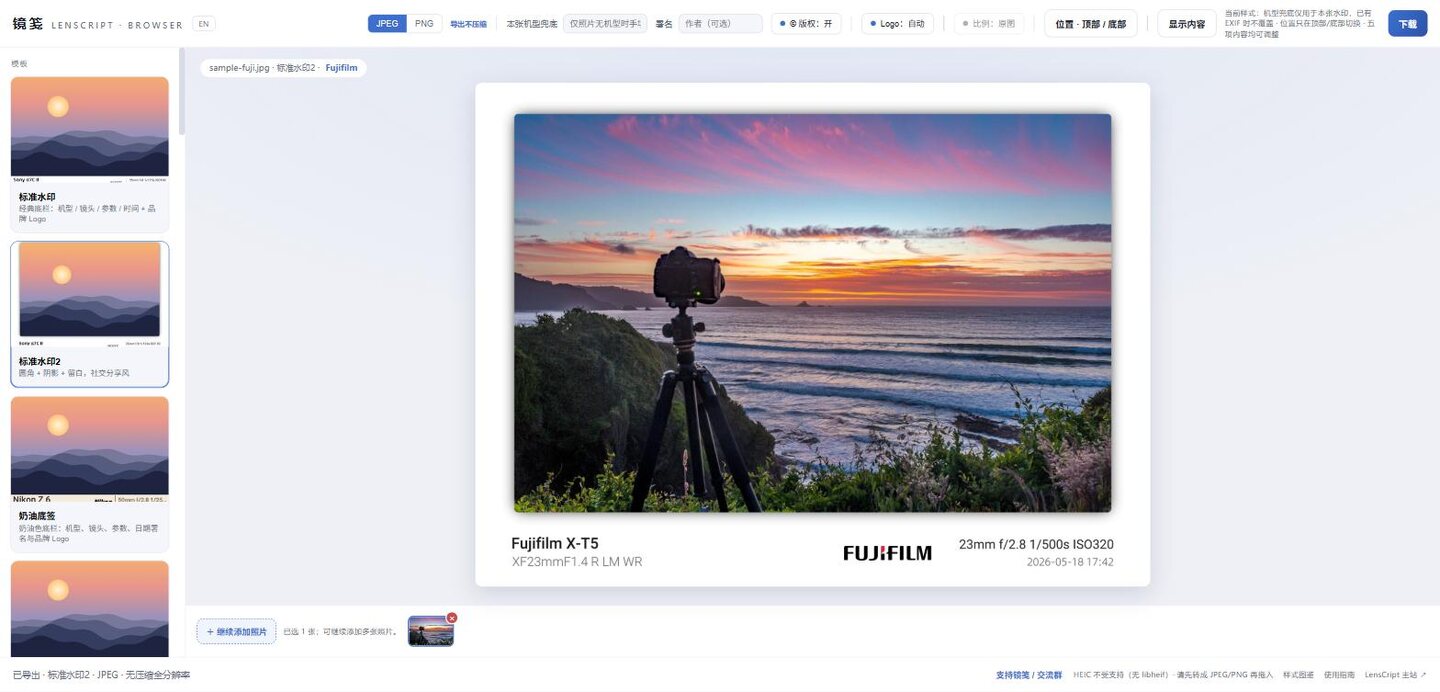
Export done, with the status bar confirming a full-resolution JPEG in Standard 2. The settings are now part of the pixels. Send the finished file as the original or let the app compress it. Compression makes a photo smaller and softer, but it can't take out text drawn into the pixels, so the settings survive any forward or re-save.
3. Original vs. compressed copy


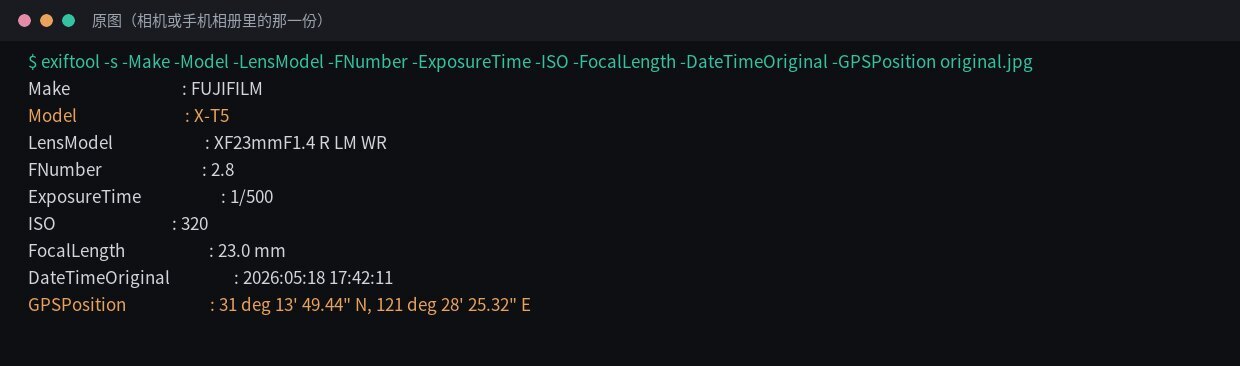
exiftool on the original: body, lens, settings, focal length and GPS all present.
Real command-line output; EXIF is demo data.
exiftool on the compressed copy: not a single field. The copy is a local simulation, not a file that went through WeChat.| File | Represents | Bytes | Pixels | Body | Aperture | Shutter | ISO | Focal length | GPS |
|---|---|---|---|---|---|---|---|---|---|
| Original | File straight off the camera/phone | 201507 | 1240×827 | X-T5 | 2.8 | 1/500 | 320 | 23mm | Yes |
| "Send original" selected | Byte-for-byte copy of the original | 201507 | 1240×827 | X-T5 | 2.8 | 1/500 | 320 | 23mm | Yes |
| Default compressed channel (simulated) | Downscale + re-encode + strip metadata | 113973 | 1080×720 | — | — | — | — | — | No |
Counting IFD0, ExifIFD, GPS and XMP, the original has 34 metadata fields and the compressed copy 0 (exiftool 12.76).
The last row is a simulation, made locally with "downscale, quality 75, strip metadata". The 1080×720 and 113973 bytes tell you nothing exact about WeChat; sizes and quality vary by app and version. What holds everywhere is that the compressed channel re-encodes the file and the metadata goes with it.
Flip the order: bake the settings into the pixels first, then send. Compression can't strip text that's part of the image.
Open Mark in the browser4. Where it goes wrong
| Symptom | Cause | Fix |
|---|---|---|
| You chose "send original", but your friend's saved copy has no settings | It was forwarded or re-saved along the way, and each pass through the compressed channel re-encodes it | Save straight from the first message, or watermark before sending |
| Photos posted through a feed-style share have no settings | With no "original" option there, it goes through the compressed channel | Watermark first; whether an original option exists depends on your app |
| Screenshots and photos saved out of a chat never show settings | A screenshot carries no capture EXIF; a photo saved from a chat is usually the compressed copy | Go back to the memory card or camera roll |
| The watermark in Mark has no body name | No EXIF Model in the file, usually a sign it's the compressed copy | Use the original; failing that, type the body into Model fallback in the top bar |
5. Next
6. FAQ
I chose "send original" — why are the settings still missing?
Most likely the file was forwarded or re-saved along the way, and every pass through the compressed channel drops the metadata again. Save straight from the first message, or watermark before sending so forwarding can't touch the settings.
Can a feed-style share keep the settings?
Don't count on it. Without an original-quality option, that entry point uses the compressed channel and the metadata is lost. Whether the option exists varies by app and version. The safe route is to print the settings onto the picture first.
Does watermarking make the file much bigger?
Usually somewhat bigger than the camera's own JPEG: Mark re-renders at full resolution, saves JPEG at a fixed quality of 100 with no chroma subsampling, and adds canvas for the info bar. PNG gets much bigger. A chat app will compress it again anyway, and the printed settings survive that.