Online camera settings watermark generator
You want a strip under the photo with the aperture, shutter speed and ISO, without installing an app or handing the file to a site you have never heard of.
A browser tab will do: drop the photo in, click a template, download, and the photo never leaves your machine.
Open Mark, try a photo freeFree, no account, nothing uploaded.
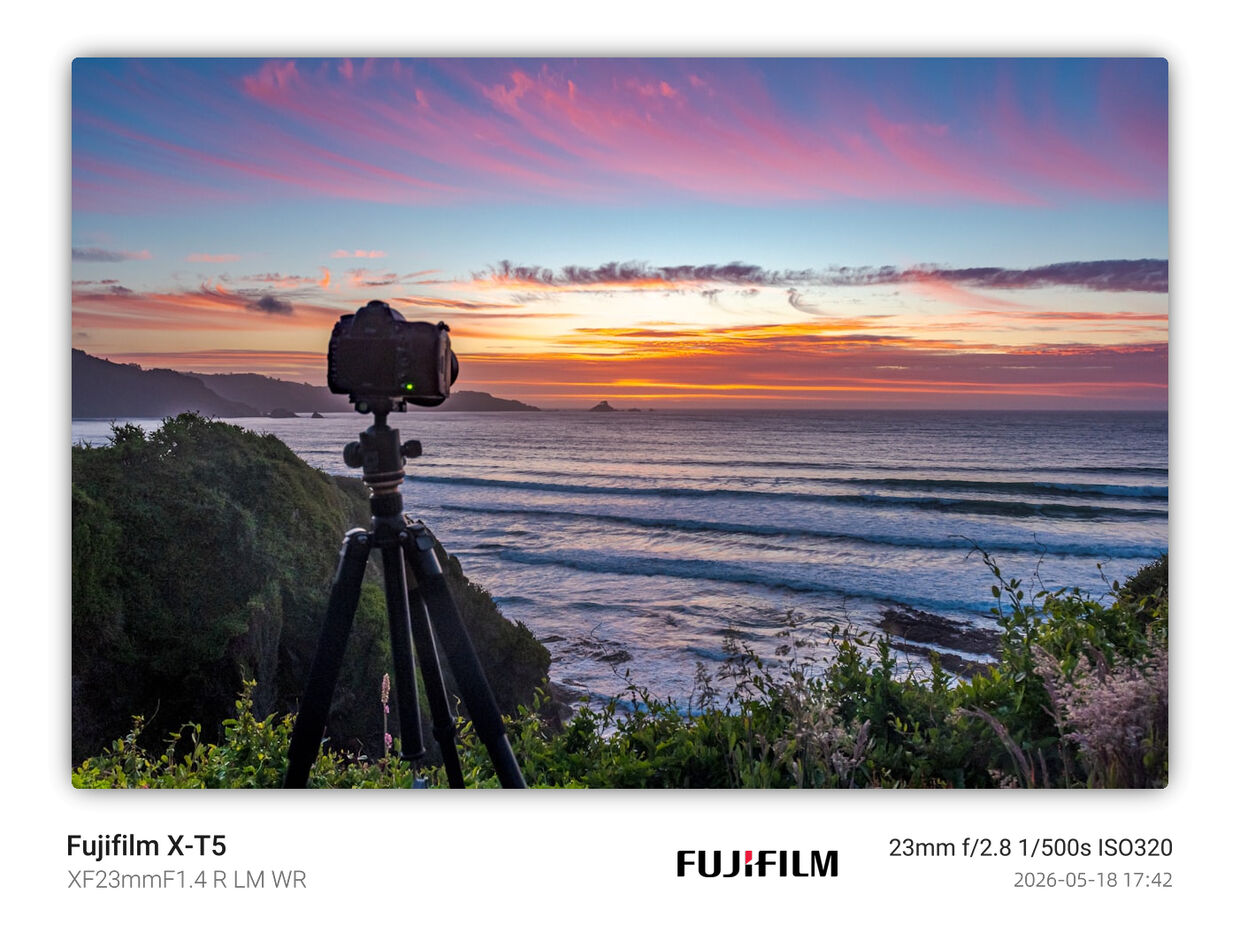
1. What this covers
Putting a settings strip on a photo in the browser and saving the result, with real screenshots and the problems people actually run into.
Where the numbers come from, and why they vanish after a trip through a chat app, is in how camera settings watermarks work. Which of the 50 templates suits which picture is in choosing a watermark style. iPhone users have their own page: adding a settings watermark to iPhone photos.
Three limits up front. HEIC is not supported. Zip download in the browser is still being finished, so for now it is one file per click; for dozens, use folder batch mode in the desktop, Android or command-line build. And it is not an EXIF viewer: no metadata panel, no "strip metadata" switch.
2. Three steps
- Step one: drop the photo in
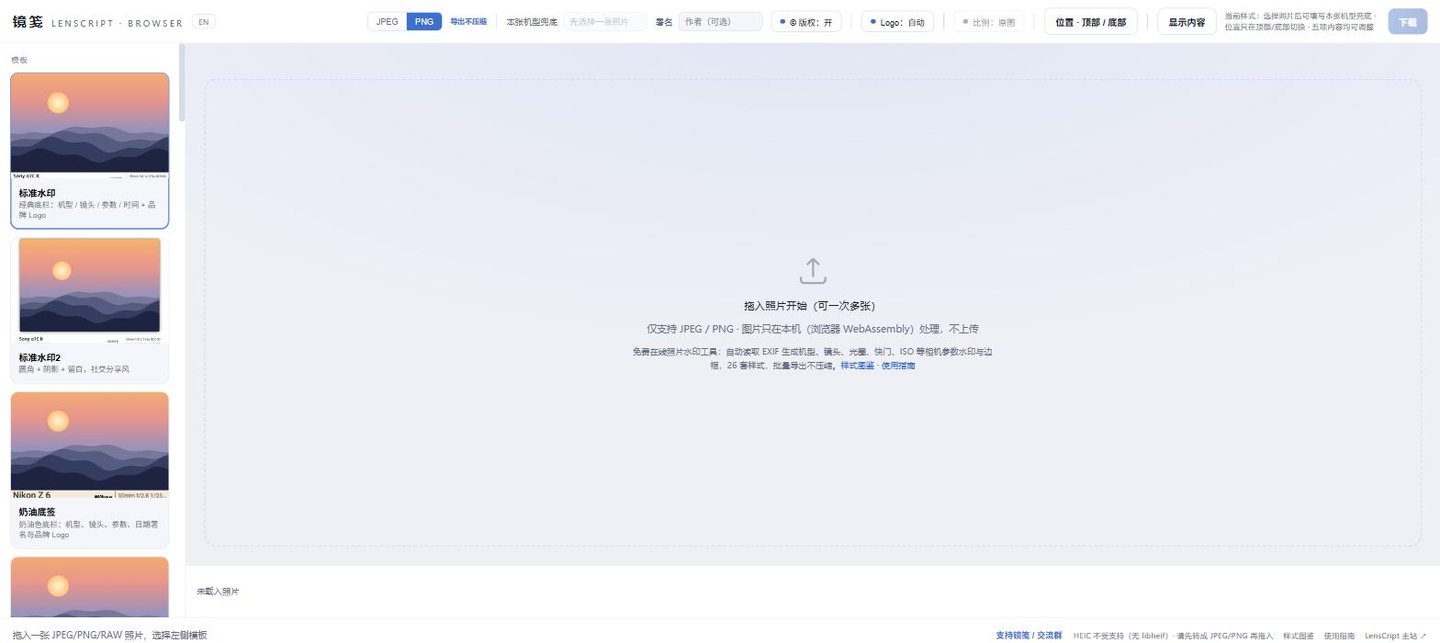
mark.lenscript.cn before you give it anything. The dashed box is the drop area. The box says JPEG / PNG only, but common camera RAW files work too:
.arw .cr2 .cr3 .nef .raf .orf .rw2 .dngand the like. With RAW, the engine uses the largest JPEG preview embedded in the file, so the export is smaller than the sensor’s full resolution (section 4 has the fix). - Step two: pick a template on the left
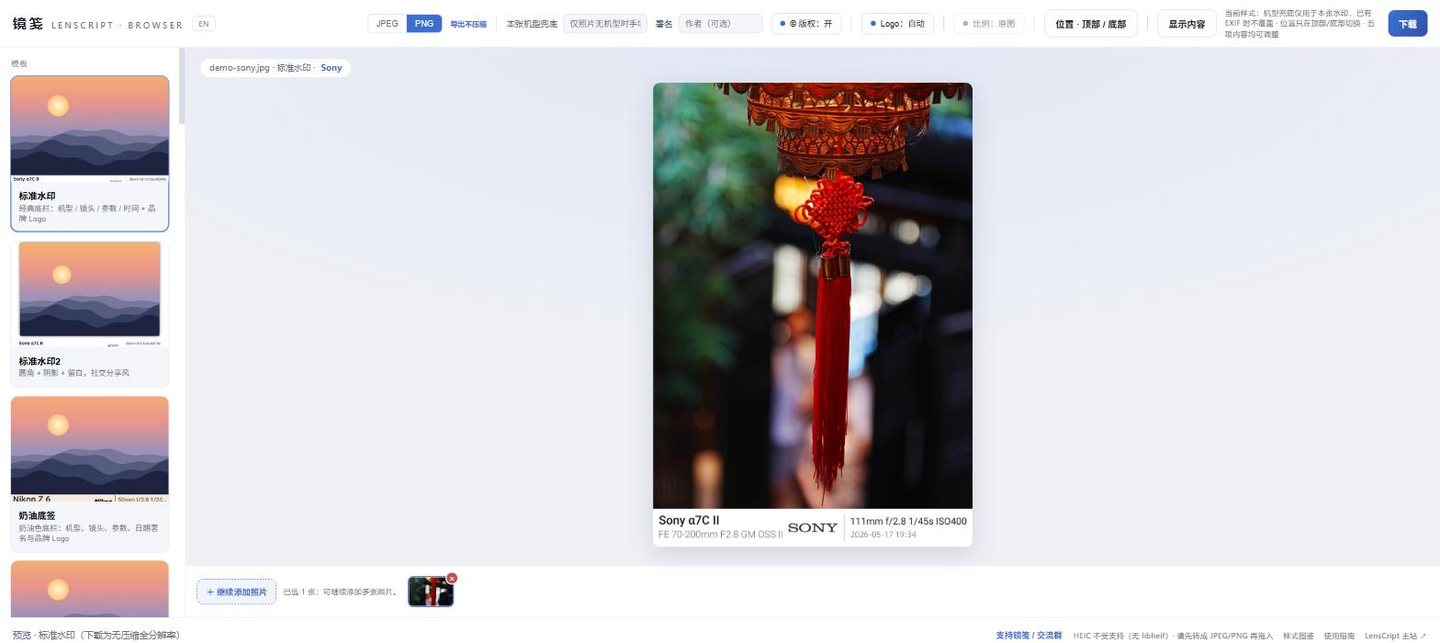
Template selected, and the strip already shows body, lens, settings and time. The chip at top left reads file name · template · brand. The rail holds 50 templates, from the plain bottom strip shown here to polaroid, film, magazine and gallery mat. Click one and the preview re-renders. There is no Apply button.
A few more things in the top bar. Fields has five switches (body, lens, exposure settings, date / signature, logo). Signature takes your name and the © toggle puts a copyright mark in front of it. Ratio offers 11 social formats that only extend the canvas; the photo is never cropped, and the extra space gets a blurred copy of the photo or black.
- Step three: hit Download
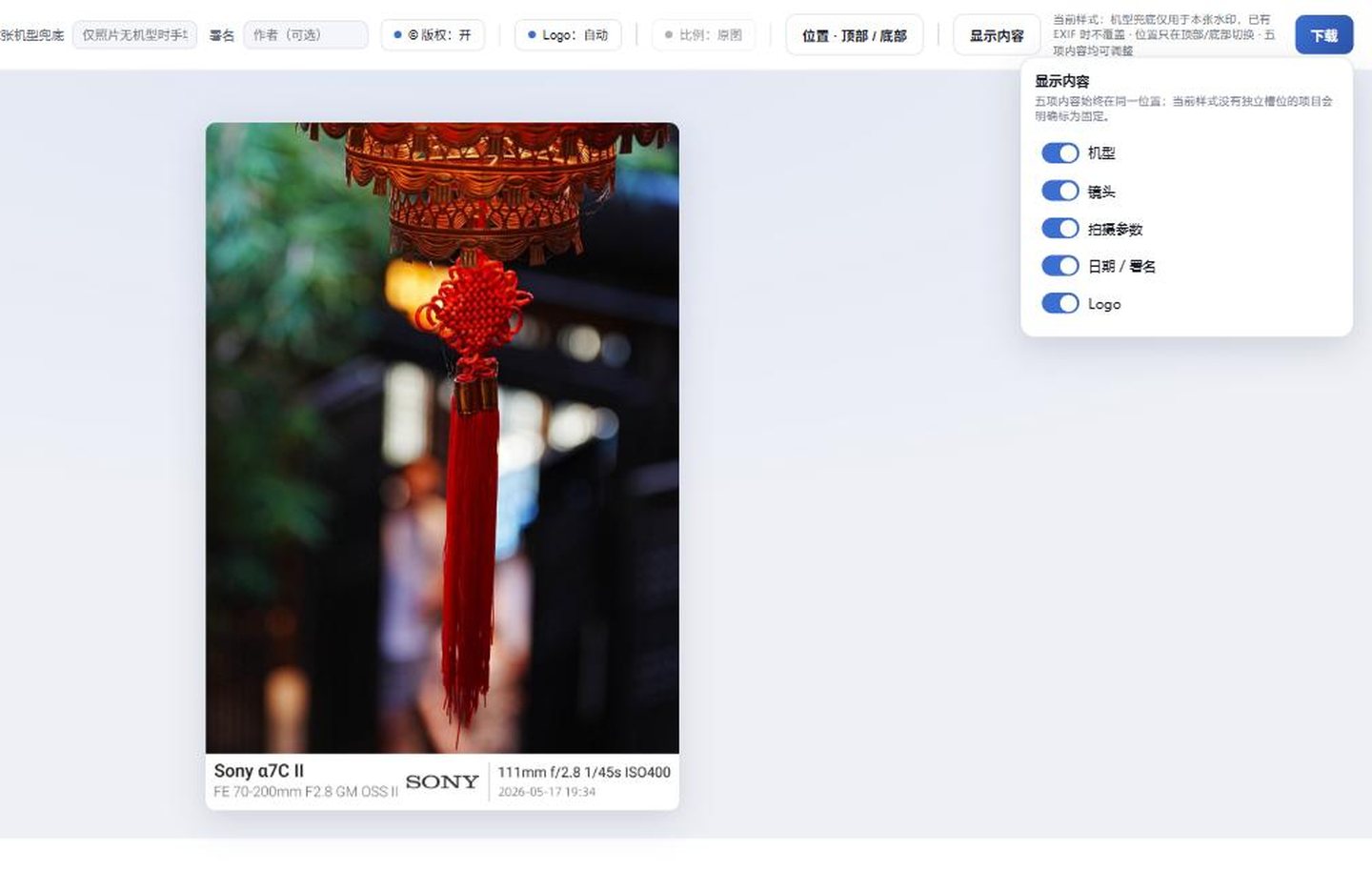
The right half of the top bar. The open panel holds the five field switches. JPEG for posting, PNG if the file goes back into an editor. Both are re-rendered at the original full resolution: JPEG at a fixed quality 100 with 4:4:4, PNG lossless. The file is named after the original plus the template, and the status bar confirms an uncompressed full-resolution export.
3. Before and after


The strip sits outside the picture: not a pixel of the frame moves, nothing is cropped. If you want the text inside the frame, try the bottom-right parameters, floating label or corner label templates.
Try it on one of your own frames. Drop it in, click a template, hit Download. It all happens in your browser.
Open Mark in the browser4. Where it goes wrong
| Symptom | Cause | Fix |
|---|---|---|
| No body name in the strip, only settings, or the strip is blank | The file has no EXIF Model. Screenshots never had capture data; chat apps and many editor export presets strip metadata | Find the original (send as "original" in the chat app). Failing that, type a name into per-photo body fallback. It affects this file’s display only, is not written back and does not carry over |
| An iPhone photo is reported as an unsupported file | It is HEIC, and the browser build has no libheif | Set Settings → Camera → Formats to "Most Compatible", or export the HEIC as JPEG. See the iPhone guide |
| RAW works, but the export is smaller than the camera’s resolution | Rendering uses the largest embedded JPEG preview (1 MP or more) | Fine for posting. For full resolution, export a JPEG from your maker’s software or Lightroom first. A RAW without a 1 MP preview is reported as unsupported |
| No brand logo, or a co-branded mark never shows up | The brand is not one of the 29 matched automatically, or Make / Model is written oddly. Co-branded marks are manual only | Pick the brand under Logo, or upload your own PNG. With no match, no logo is drawn; there is no placeholder |
| Twenty files dropped in, one click saves one | Zip download is still being finished; for now one click exports the current file | Click each thumbnail in turn, or use folder batch mode in the desktop, Android or CLI build |
5. Next
6. FAQ
Do I need an account? Is the photo uploaded anywhere?
No account, no payment, no upload. EXIF reading, rendering and export all run in a Web Worker in your browser via WebAssembly, and the file is saved through the browser’s own download. The code is open source under Apache-2.0.
The page does fetch the wasm bundle and template thumbnails, and anonymous usage counts (template id, export success or failure) are on by default; you can turn them off in the support dialog. Photos, file names and capture data are never sent, but "no network requests at all" would be wrong.
Does watermarking cost image quality?
No. The export is re-rendered from the original at full resolution: JPEG at a fixed quality 100 with no chroma subsampling (4:4:4), PNG lossless across the photo area.
The quality hit comes later, when a social platform re-compresses your post. See exporting for social.
Can it handle a whole batch?
You can drop several files at once, flip between them in the film strip and give each its own style. Zip download in the browser is still being finished, so for now one click exports the current file only. Browsers cannot reliably write several files at once across platforms.
For dozens of files, use folder batch mode in the desktop, Android or command-line build. Same engine, same output.