EXIF gone after editing: what you can still get back
You export a photo from Lightroom, Photoshop or a script, drop it into a watermark tool, and the body and settings come up empty, so the first suspicion is that the edit wrecked the file.
Almost always it is an export setting: the same code with or without one keep-metadata argument either loses everything or keeps it all.
Open Mark, try a photo freeFree, no account, nothing uploaded.
1. What this page covers
Three ways EXIF goes missing when an editor or script re-saves a photo, and what you can get back from each. EXIF basics are in how camera settings watermarks work; location fields are in checking EXIF and GPS before you share. If the settings vanished after sending through a chat app, this page fits better.
2. Three steps to the bottom of it
- Step 1: See what is left

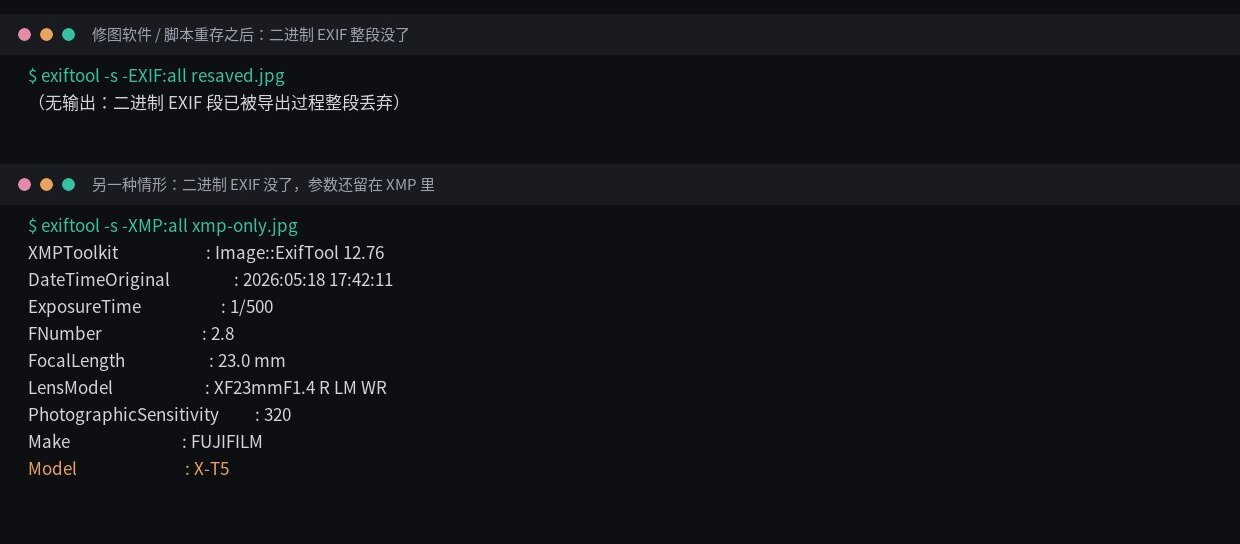
exiftool output for a re-saved file, in a terminal rather than an app: -EXIF:allfinds nothing, so the binary EXIF block is gone.Run
exiftool -s -EXIF:all photo.jpgon the export. If it lists body and settings, the binary EXIF is fine. If it prints nothing, as above, go to step 2. No terminal? Drop the file into Mark: if the info bar shows a body and settings, EXIF or XMP survived. - Step 2: Let XMP fill in
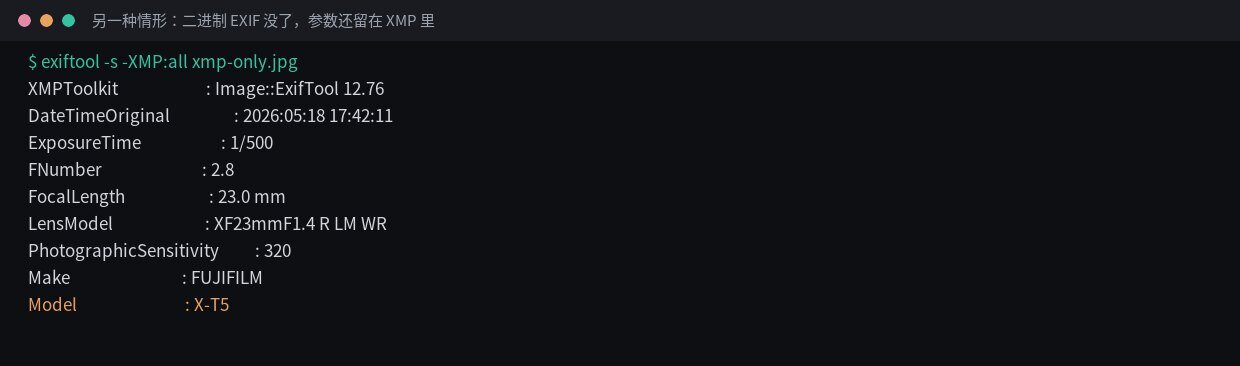
-XMP:allon a file of the same kind, as command-line output: the binary EXIF is gone but the settings are still in XMP. EXIF is demo data.Now run
exiftool -s -XMP:all photo.jpg. Lightroom and Photoshop exports often look like this: binary EXIF cleared, the settings still sitting in the XMP packet.Mark handles that on its own, filling in body, lens, aperture, shutter, ISO, focal length and date from XMP (confirmed on the live site). Orientation is the exception: it is deliberately not read from XMP, so the photo can't get rotated twice.
- Step 3: Type the model in
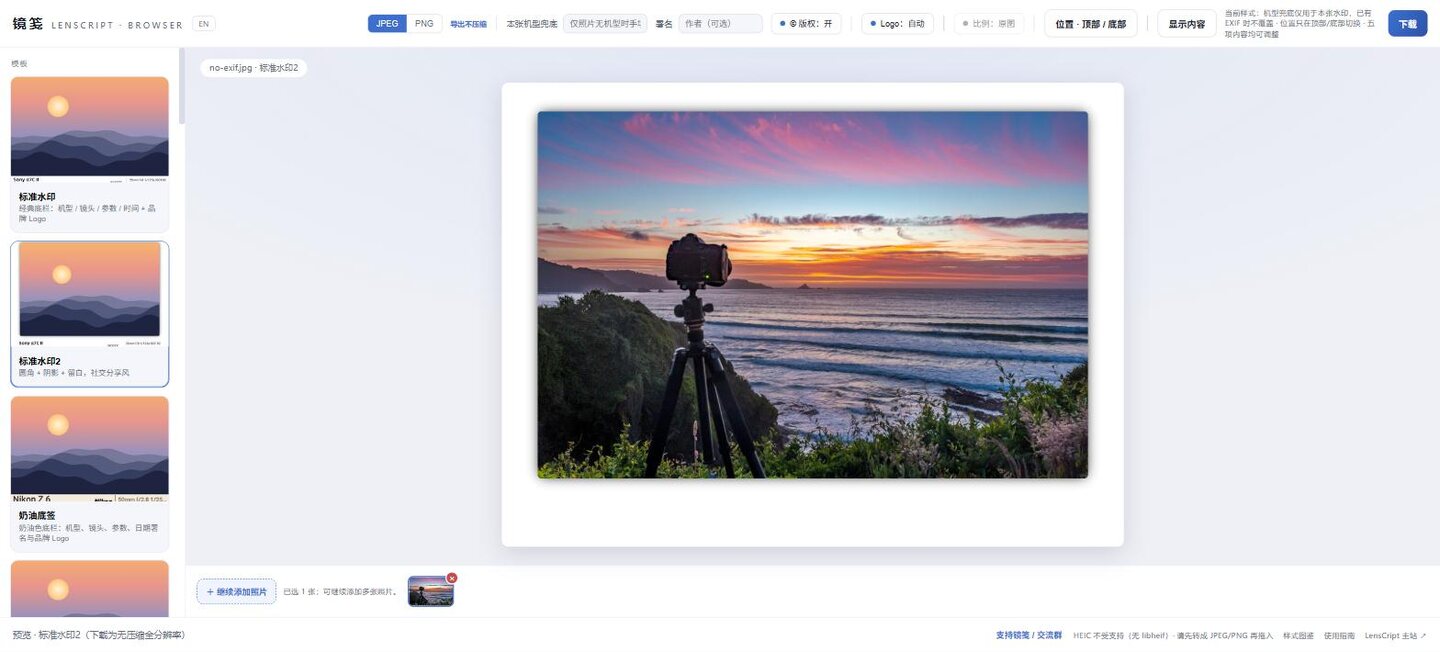
A photo with no EXIF at all in Standard 2: the info bar is blank. The Model fallback field in the top bar is all that's left. No EXIF and no XMP is what a
convert -strip-style step or an export-for-web preset leaves you. Mark's Model fallback field in the top bar takes up to 40 characters for this photo's watermark only. It doesn't carry over, isn't saved and never goes into the exported EXIF. There's no field for lens, aperture, shutter, ISO or date; once those are gone, they stay blank.
3. Export paths, measured


exiftool -EXIF:all on a file re-saved with Python Pillow without exif=:
the binary EXIF block is gone. The pixels are fine; the metadata just wasn't carried over.
Command-line output, not an app screen.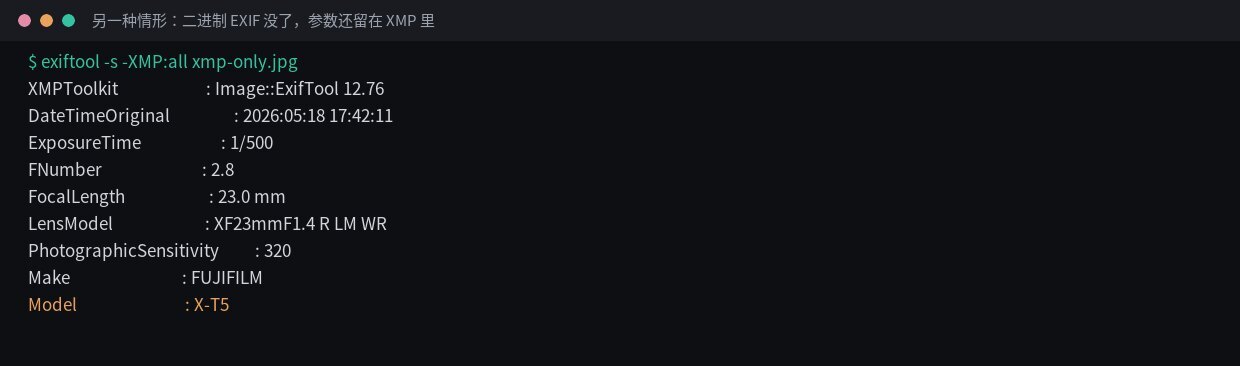
exiftool -XMP:all on the same kind of file: no binary EXIF, but the settings are still
in XMP. That packet is what Mark falls back to, orientation aside. EXIF is demo data.| File | Represents | Bytes | Pixels | Body | Aperture | Shutter | ISO | Focal length | GPS |
|---|---|---|---|---|---|---|---|---|---|
| Source file | Straight off the camera | 201507 | 1240×827 | X-T5 | 2.8 | 1/500 | 320 | 23mm | Yes |
| Pillow save(), no exif= | The usual way editors and scripts lose it | 246343 | 1240×827 | — | — | — | — | — | No |
| Pillow save(), with exif=im.info['exif'] | Same code, one extra argument | 247153 | 1240×827 | X-T5 | 2.8 | 1/500 | 320 | 23mm | Yes |
| Binary EXIF stripped, XMP survives | Common Lightroom/Photoshop shape | 117273 | 1080×720 | EXIF none · XMP yes | XMP 2.8 | XMP 1/500 | XMP 320 | XMP 23mm | No |
| convert -strip | Typical effect of "export for web" presets | 140521 | 1240×827 | — | — | — | — | — | No |
The middle two rows are the same Pillow code one exif= argument apart: one loses everything, the other keeps it all. That's an export setting, not compression or quality.
Row four is the other common shape: binary EXIF cleared, 8 of the original 34 fields left in XMP, enough for Mark to read the settings. Measured with exiftool 12.76 and Pillow 10.2.0; other software may differ, so check your own files.
If the editor stripped the binary EXIF but left the XMP, Mark reads the settings from there. Drop one file in to see which case you have.
Open Mark in the browser4. Where it goes wrong
| Symptom | Cause | Fix |
|---|---|---|
| The info bar in Mark is blank after export | Metadata wasn't kept on export, or an export-for-web preset was used | Turn on the keep-metadata option in your editor's export settings; for files already exported, re-export from the original or type the model in |
| A phone editing app wiped the settings | The editor stripped the metadata when it re-saved the file | Go back to the original; watermark it before you edit |
| The watermark shows settings but no body name | The file has no EXIF Model field | Use the original; failing that, type the body into Model fallback |
| You have to retype Model fallback for every photo | It is per photo on purpose and is never saved or carried over | Expected. Fill it in for each photo |
5. Next
6. FAQ
Does editing lose settings because the quality drops?
No. Metadata and pixels are stored separately, and losing the settings is an export setting. The same code keeps everything once EXIF is passed through explicitly (Pillow's save(exif=...), for example), and image quality doesn't change at all.
Why do some photos "look like" they have no EXIF but still read out settings?
The binary EXIF block and XMP are two separate containers. Some export pipelines clear only the first and leave the settings in XMP, where Mark picks up body, lens, aperture, shutter, ISO, focal length and date. When a field exists in both, the binary EXIF wins.
If the settings are completely gone, can they be typed back in?
Aperture, shutter, ISO and focal length can't be rebuilt. Mark's Model fallback takes a body name and nothing else, affects only that photo's watermark, isn't written to the file and doesn't carry over.