Overcast, fog, rain and snow
"I'll go when the weather's better" costs people a lot of photographs. Clear midday is one of the hardest lights there is: harsh contrast, hard shadows, flat colour. Most weather pictures fail because they were shot as if it were a sunny day.
1. No bad weather, only mismatched subjects
Weather changes how soft the light is, how much direction it has, and how much contrast survives into the distance. Change the subject to match.

2. Overcast: an enormous softbox
Cloud spreads the sun, a point source, across the whole sky. The light goes soft, loses most of its direction and drops in contrast.
- It suits portraits (no black eye sockets, no fill needed), macro and still life, woodland and streams where dappled hotspots would otherwise wreck the frame, and anything about colour. The weaker light also gets you slow shutter speeds without an ND; see long exposure.
- It's poor for modelling and shadow, and for big skies, which go featureless white and stick to the right edge of the histogram.
- So leave the sky out. Fill the frame with ground, water, canopy or buildings, or get lower.
LCT computes sunrise, sunset and twilight for your place and date, with weather on top.
About LCT3. Fog: aerial perspective for free
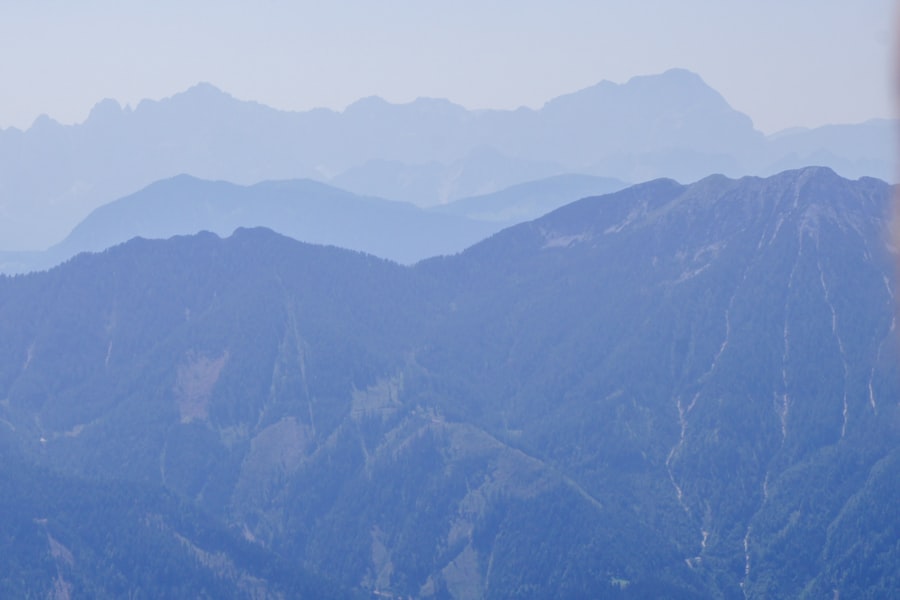
Fog strips contrast and saturation with distance. Painters call it aerial perspective, and it separates foreground, middle ground and background into bands for free; see composition basics.
Three traps:
- The meter underexposes. Bright fog fools it into grey soup. Add +0.3 to +1 stop and watch that the right end of the histogram doesn't clip; see how to read a histogram.
- Autofocus hunts. Focus on the nearest dark edge, a trunk, railing or rock, or go manual.
- Condensation. Glass moving between warm and cold fogs up, so leave the bag outside or in the boot beforehand to let the gear adjust.
In fog, shoot towards the light first: beams, rim light and atmosphere are strongest backlit.
4. Rain: the ground becomes a reflector
Falling rain barely shows unless you have a dark background, light from behind or the side, and a shutter around 1/60 to 1/125s that draws each drop into a short line.
The good part comes afterwards:
- Wet ground turns into a reflector, and every neon sign, streetlight and headlight shows up twice.
- Washed air means better visibility and colour.
- The quarter-hour when the cloud breaks often brings the best light of the day: low sun raking across ground that hasn't dried yet.
A plastic bag, a microfibre cloth and a lens hood cover most of it. Don't change lenses in the rain; wait for the car or a doorway.
5. Snow: the meter will lie to you
Snow brings two problems almost every time.
- It comes out grey. The meter pulls a frame full of white down to a middle tone. Dial in +0.7 to +1.7 stops of exposure compensation and judge it on the histogram: bars well to the right, but not against the edge.
- Snow in shade goes blue, because it's lit by blue skylight with a very high colour temperature (see white balance and colour temperature). A little blue is honest. Cyan-violet has gone too far; nudge the temperature warmer in editing.
Batteries die fast in the cold, so keep spares in an inside pocket. Before going into a warm room, seal the camera in its bag and let it warm up slowly, or moisture condenses on and inside it.
6. The numbers to check before leaving
LCT is meant to put these on one page. How to read each is covered on the LCT site in what weather to check and how to read a forecast.
| Metric | What to read | Why it matters |
|---|---|---|
| Cloud cover | Percentage, and cloud height | Roughly 30–70% catches colour at sunrise and sunset; total overcast and clear skies are both flat |
| Visibility | Kilometres | Whether distant layers still separate, and whether it is fog or haze |
| Precipitation | Hourly probability and timing | The target is often the half-hour after it stops |
| Wind speed | Metres per second | Decides reflections on water, whether fog survives, and whether foliage smears in a long exposure |
| Air quality index | The index | Haze is particulate: yellow-grey and flat, nothing like the clarity of fog |
| Sun and twilight times | Clock times | See golden and blue hour |
How this works in Lenscript. The LCT platform is being built to put exactly these numbers on one page for one location: sunrise, sunset and the twilight bands, weather, cloud cover and air quality. It is still under construction, and weather and air quality connect only once it opens. What already works is computing the light times for a place and date.
7. FAQ
What do I do with a blank white overcast sky?
Leave it out. Get lower or angle down so ground, water or canopy fills the frame. If the composition needs sky, wait for the cloud to show some tone, or accept the white, expose for the ground and finish the picture high key.
How do I tell fog from haze?
Read visibility and air quality together. Fog is water vapour, usually with high humidity, and the image stays clear and cool with distinct layers. Haze is particulate: the AQI is up, everything goes yellow-grey, and no edit brings the distance back.
How do I protect the camera in rain?
A plastic bag and an elastic band handle most of it, and a lens hood keeps drops off the front element. Above all, don't change lenses in the rain; wait for shelter. Afterwards, wipe the body dry and leave the bag open.
Why does snow need positive compensation rather than negative?
Because the meter wants to render what it sees as a middle tone, and a frame full of white looks too bright to it. Positive compensation undoes that. Set the amount from the histogram: bars near the right edge but not touching it.