Photo copyright, credit and watermarks
A watermark doesn't create a copyright, and owning the copyright doesn't stop anyone using the photo. This covers general principles, not legal advice. Rules differ a lot between jurisdictions, so follow your local law, and get professional advice when money or a dispute is involved.
1. Does the shutter create the right?
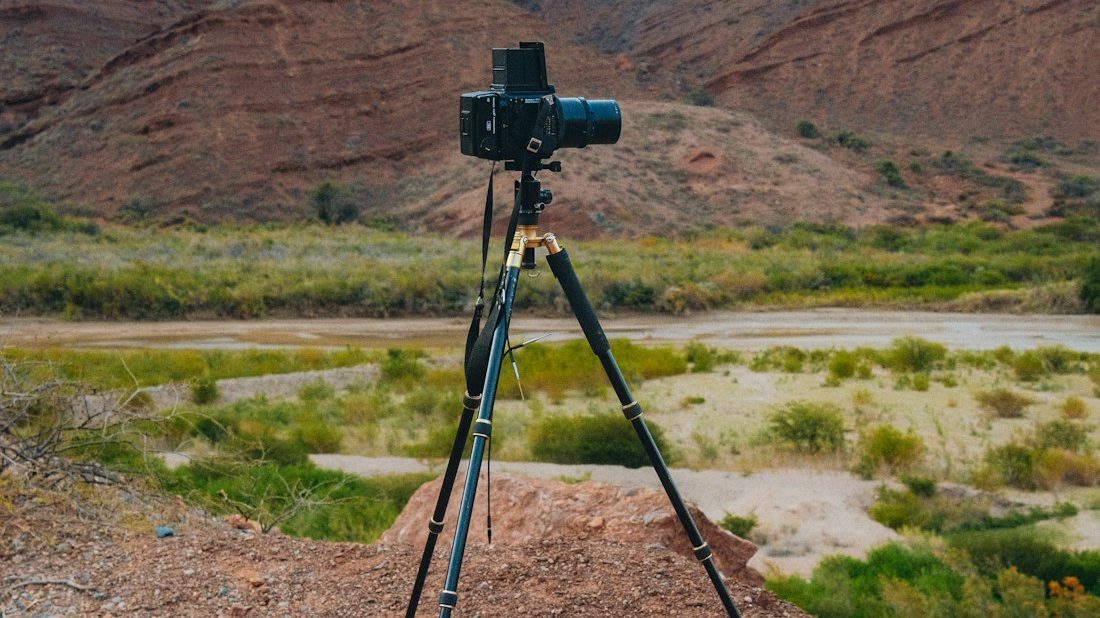
Most countries follow the same broad principle: copyright arises automatically when the work is created, with no registration and no notice printed on the image. The moment the shutter fires, the photograph is generally the photographer's.

Three exceptions get overlooked.
- Shoot as an employee or under a client contract, and the job or the contract often decides ownership, not who pressed the button. Read the clause before you sign.
- Owning the copyright doesn't clear every use. People in the frame have their own rights, and buildings, artworks, trade marks and performances can carry their own rules, especially for commercial use.
- Registration isn't how you acquire the right, but it is strong evidence, and some jurisdictions tie certain claims to registration or timestamping.
These are common principles; your local law sets the specifics.
2. Licences: what you are handing over
Owning the copyright and deciding what others may do are separate questions. The second is answered by a licence.
- Platform terms. Nearly every social platform takes a usage licence on upload, with scope, duration and sub-licensing that vary. It usually doesn't transfer copyright, but it does grant real permissions. Skim those paragraphs before signing up.
- Creative Commons: CC BY (use with credit), CC BY-NC (credit, non-commercial), CC BY-ND (credit, no derivatives), CC0 (waive as much as possible). These are generally designed to be irrevocable: anyone who took the work under the licence can keep using it after you change your mind. Where "non-commercial" ends is argued about constantly.
- A line you write yourself is a licence too. "Personal viewing only, no commercial use" means something, just loosely. Use a standard licence or spell out purpose, duration, territory and whether edits are allowed.
Mark adds the settings strip right in your browser. Free, no account, nothing uploaded.
Open Mark — try one for free3. A settings watermark is not a rights notice
People mix these up all the time, and they do different jobs.
| Type | Contents | Purpose | Survives upload? |
|---|---|---|---|
| Settings watermark (in the pixels) | Body, lens, aperture, shutter, ISO | Explains how the frame was made | Yes, it is the picture |
| Credit watermark (in the pixels) | Name, handle, logo | Makes the source traceable | Yes, as above |
| Metadata rights fields | EXIF/IPTC Copyright and Creator | Machine-readable attribution | Frequently not; see photo privacy |
| Platform originality badges | A claim inside that platform | Effective only there | — |
A settings strip is not a rights notice; it reports exposure data. Fill in the metadata rights fields because they cost nothing, but don't expect them to survive an upload. A visible credit won't stop anyone determined, since cropping or cloning it out is easy. What it does stop is the far more common "no idea who took this" reshare. For placing one without ruining the picture, see watermark styles.
How this works in Lenscript. Mark reads EXIF locally in the browser and renders a settings strip or border, in 50 templates. The top bar has a credit field for your name or handle and a © toggle, and you can upload your own logo. It exports JPEG or PNG, removes GPS on export, uploads nothing and is free. The web version downloads one photo at a time for now while zip download is being finished; for batches, use the desktop, Android or command-line version's folder mode. What it produces is on-image credit and settings, not a legal registration or timestamped filing.
4. When someone takes your photo
Procedures vary and local law and platform rules govern, but the usual order runs like this.
- Collect evidence before making contact: full screenshots or a screen recording, plus URL, account and time. For stronger proof, consider a trusted timestamp or notarisation. Get in touch first and the post often vanishes, taking your evidence with it.
- Assemble your own chain: the RAW file, neighbouring frames from the same burst, an original with full EXIF, the earliest publication record. That proves who had it first, and is one reason RAW files are worth keeping.
- Use the platform's infringement report first. It is usually faster than dealing with the other side directly, and it leaves a record.
- Decide what you want: credit, removal or a licence fee. A clear, factual message often settles it.
- If the sums are significant, the use is commercial, or they won't engage, take professional advice.
5. Things worth doing before publishing
Posting to a photo community adds a layer on top of copyright: how to title the post, how precisely to name the spot, when the GPS has to come off. That checklist lives on the LCT site: posting work where people will actually look at it.
- Fill in the Creator and Copyright metadata fields in your export preset. Platforms strip them, but they survive when files go to a client or a library.
- If you want a credit, put it in the pixels, big enough that a casual crop won't remove it.
- Publish a resized version, not the full-size file; see exporting for social platforms.
- Check GPS and other sensitive fields, per what is hidden in a photo.
- Where identifiable people appear, commercial use generally needs separate permission, whoever owns the copyright.
- Keep the RAW files and originals; see photo backup 3-2-1.
6. FAQ
Does adding a watermark give me copyright?
No. In most places the right exists from the moment the work is created, watermark or not. What a watermark gives you is attribution: a reshare carries your name, and passing the photo off as someone else's takes more effort. Local law governs.
Someone reshared my photo with credit. Is that still infringement?
Credit and permission are different things. Naming the source handles attribution, but an unlicensed use doesn't become lawful because it is credited, least of all a commercial one. In practice, whether they credited you will affect how far you want to take it. Local law governs.
Can I withdraw a Creative Commons licence?
These public licences are generally designed to be irrevocable. You can stop distributing the work and offer new users different terms, but anyone who already took it under the original licence can normally keep using it on those terms. Think hard before picking one that allows commercial use or derivatives.
What about AI-generated or heavily AI-edited images?
The rules are still moving and jurisdictions disagree. The recurring question is how much human authorship is involved. For anything commercial, check the current position where you are and keep records of your own creative process.